SHL Verify Interactive Test
Task Types, Timing and Free Practice
SHL Verify Interactive asks you to drag bars, set pie wedges, plan a day, rank people, complete a figure and link a chain instead of picking A to E. Each task type, the timing of every version, partial credit, and how to practise.
The SHL Verify Interactive test is SHL's reasoning test in which you answer by doing something on screen (dragging bars, setting pie wedges, placing tasks in a diary, ranking people, completing a figure) instead of choosing a lettered option. It comes as three single tests (numerical, deductive, inductive) or combined as Verify Interactive G+, which SHL's fact sheet gives 36 minutes for at most 24 adaptive questions (SHL Interactive G+ fact sheet). You cannot go back, answers can earn partial credit, and the reasoning behind every task type can be practised. Our free SHL-style interactive test runs all six task types below on one 36-minute clock.
TL;DR
- Six interactions to learn: bar charts and pie charts (numerical), a day scheduler and a ranking board (deductive), next-figure tapping and node chains (inductive).
- Timing: G+ is 24 questions in 36 minutes, about 90 seconds each. The single interactive tests are all 18 minutes: 10 numerical, 12 deductive or 15 inductive questions.
- Forward only. The test is adaptive, so each answer sets the difficulty of the next and you cannot return to it.
- Partial credit. SHL says its interactive tests "ask fewer questions thanks to our unique partial-scoring methodology", so a task that is mostly right still earns something.
- Practise the interface on SHL Direct once, then build speed with timed runs.
What is SHL Verify Interactive?
SHL describes Verify Interactive as a suite built "using mobile-first technology", with "activity-based assessment design that can be deployed on any device type, including mobile phones" (SHL Interactive G+ fact sheet). The reasoning is the same as in SHL's classic multiple-choice Verify tests. What changes is the answer: you build it.
The combined version, Interactive G+, "will see questions measuring all three abilities" and reports "a score on each of the specific abilities as well as a general ability score" (same fact sheet). If your invitation instead says "General Ability" with lettered options, it is the multiple-choice Verify G+: 30 questions in 36 minutes. Our Verify G+ guide compares the two versions side by side.
Timing for every version
| Version | Questions (maximum) | Time | Per question | Source |
|---|---|---|---|---|
| Verify Interactive G+ | 24 | 36 min | ~90 s | SHL fact sheet |
| Interactive Numerical Reasoning | 10 | 18 min | ~108 s | SHL fact sheet |
| Interactive Deductive Reasoning | 12 | 18 min | 90 s | SHL fact sheet |
| Interactive Inductive Reasoning | 15 | 18 min | 72 s | SHL fact sheet |
The figures are maximums: SHL lists a "Maximum Number of Questions", and because the tests are adaptive, the number you actually see can be lower. Employers choose which version to send, so the invitation email is the final word on what you sit.
The six task types, with worked examples
The examples below are ours, written to show the reasoning. They are not SHL questions. SHL's own fact sheets show a pie chart, a next-image grid, a day scheduler and a ranking board; prep providers describe the bar-chart and node-chain formats from candidates' reports.
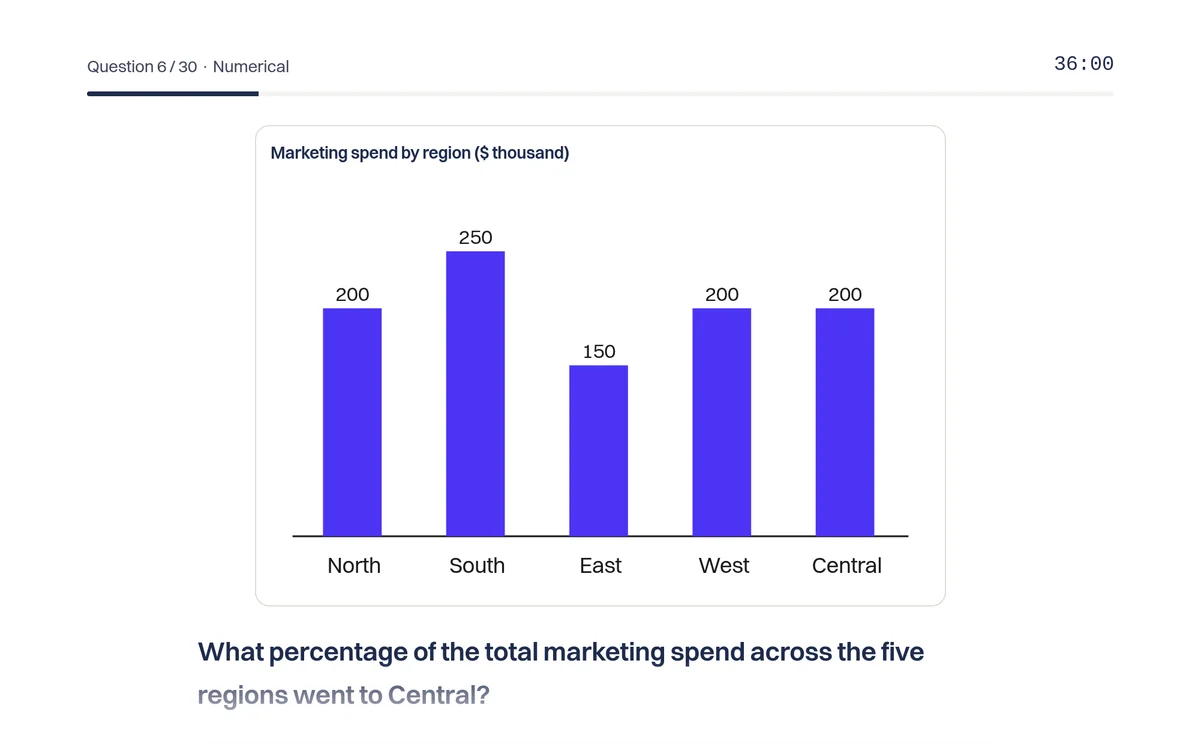
1. Bar chart: set each bar from the facts (numerical)
You get a few facts and an empty or wrong chart, and you drag each bar to its value.
Example. A shop sold 120 units in March. April sold 25% more than March. May sold 30 fewer than April. Set the three bars.
Solution. March = 120. April = 120 × 1.25 = 150. May = 150 − 30 = 120. Notice that May depends on April, not on March: an early slip carries into every later bar, which is why each bar is marked separately and partial credit matters.
2. Pie or donut chart: set each wedge as a share (numerical)
SHL's G+ fact sheet shows exactly this: a headcount split into departments and the instruction "Adjust the flow chart to represent the employees".
Example. A company has 200 staff. Sales has 60. Operations has half as many as Sales. Finance is 25% of all staff. Technology is the rest. Set the four wedges.
Solution. Sales 60/200 = 30%. Operations 30 people = 15%. Finance 25% = 50 people. Technology 200 − 60 − 30 − 50 = 60 people = 30%. Check: 30 + 15 + 25 + 30 = 100. Always convert to percentages before you drag, and work out "the rest" last.
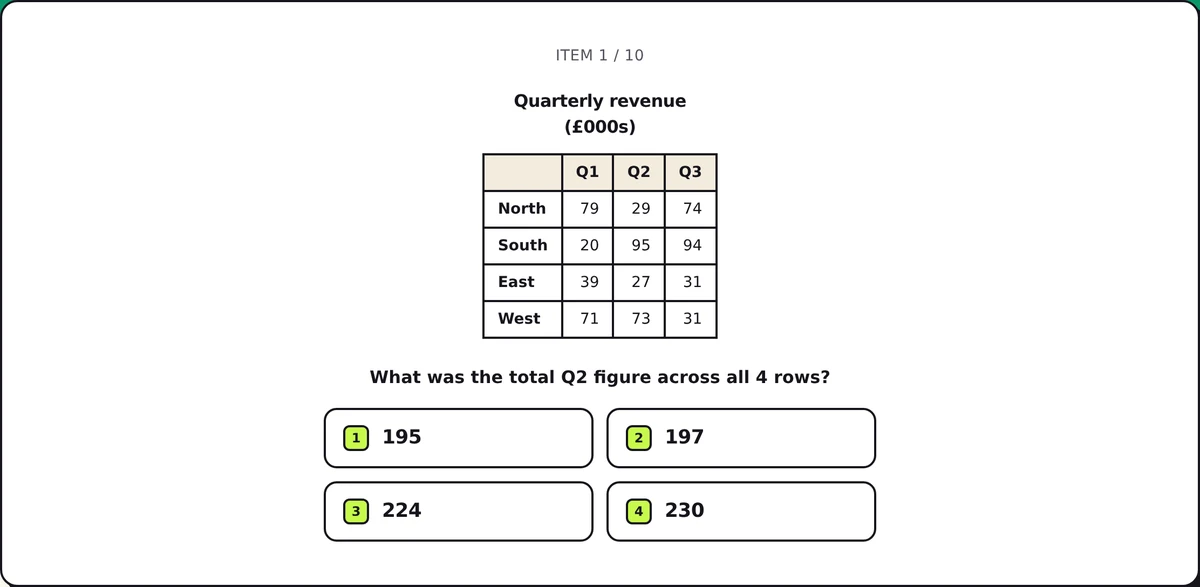
3. Scheduler: fit tasks into a busy day (deductive)
SHL's deductive fact sheet shows a diary with the instruction "Select a task and fit it into the busy day".
Example. The morning runs from 9:00 to 13:00 and a meeting already fills 10:00 to 11:00. Place a 2-hour report and a 1-hour call. Neither can be split.
Solution. The free time is 9:00 to 10:00 (one hour) and 11:00 to 13:00 (two hours). The 2-hour report only fits 11:00 to 13:00, so the call goes at 9:00. Place the longest or most constrained task first; the rest usually falls into place.
4. Ranking: order people from relative clues (deductive)
SHL's fact sheet shows a ranking board: you "drag the badges to each person, sorting them from 1 (ranked highest) to 6 (lowest)".
Example. Ana scored higher than Ben. Cara scored higher than Ana. Dev scored lower than Ben. Eli scored between Ana and Ben. Rank all five.
Solution. Chain the "higher than" clues: Cara > Ana > Ben > Dev. Eli sits between Ana and Ben. Final order: 1 Cara, 2 Ana, 3 Eli, 4 Ben, 5 Dev. Before dragging, check whether 1 means highest or lowest: the badge direction is the most common slip.
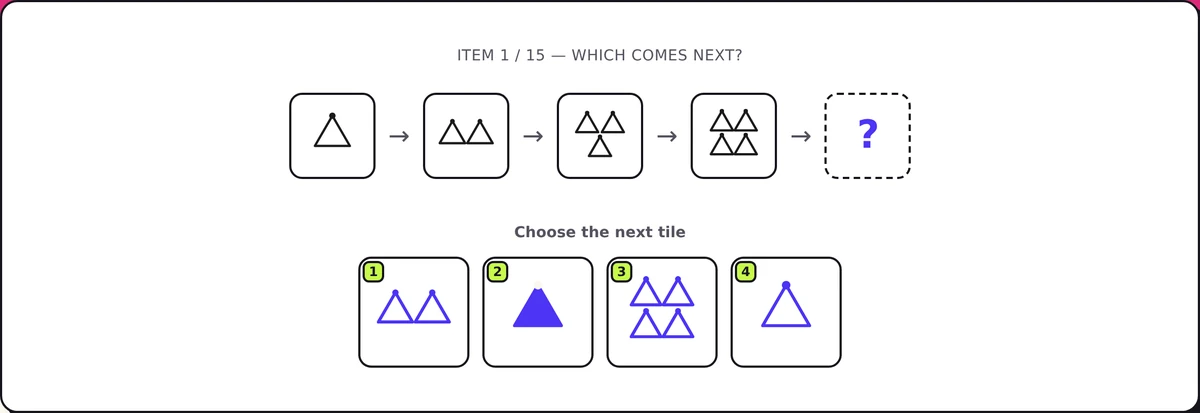
5. Next figure: tap cells to complete the sequence (inductive)
SHL's G+ fact sheet shows a sequence of grids and the instruction "Tap to fill the next image in the sequence". You colour cells rather than pick from options.
Example. In a 3 × 3 grid, one shaded square starts in the top-left corner and moves one cell clockwise around the edge in each frame: top-left, top-middle, top-right. A second square sits in the centre and changes colour every frame: blue, green, blue. Fill frame 4.
Solution. The moving square goes to the middle of the right-hand column. The centre square turns green again. Track each element separately, as two rules with one change each, not as one picture.
6. Node chain: link the nodes in order (inductive)
Prep providers report puzzles in which you connect numbered or lettered nodes into one chain.
Example. Nodes: 4, 9, 7, 12, 10, 15. Start at 4. Each link applies one of two operations in turn.
Solution. 4 → 9 is +5. Try −2 next: 9 → 7. Then +5: 7 → 12, −2: 12 → 10, +5: 10 → 15. The chain is 4, 9, 7, 12, 10, 15 with the rule "+5, −2". Test a rule on the first two links, then confirm it on every remaining link before you commit.
How scoring works
SHL's interactive tests are adaptive and norm-referenced. The sample Interactive G+ report shows four percentile bars, one each for G+, inductive, numerical and deductive, each "compared to" a named comparison group. A percentile of 50 means "better than 50% of the people in this group". The employer sees that report; there is no published pass mark.
Three rules shape your tactics:
- No going back. SHL's candidate support says you cannot return to a question "because the difficulty level of each question is determined by the answers to previous questions" (SHL candidate support).
- No skipping, no penalty. An SHL support article on the same pages says you are expected to answer every question, cannot leave one blank, and that incorrect responses "do not affect your test score". It is filed under one of SHL's test platforms, so check your own test's instructions, but the logic holds either way: a careful partial answer beats a blank.
- Partial credit. SHL markets its cognitive tests as asking "fewer questions thanks to our unique partial-scoring methodology" (SHL cognitive assessments). SHL does not publish the formula. Our practice test marks each part (each bar, wedge, task, rank or link) and gives the share right.
Can you use a calculator?
SHL's own support articles disagree. One says that on a numerical test "you may make use of a calculator unless you have been instructed otherwise". Another says that if an embedded calculator appears on screen you can use it, but "no other external calculators" are allowed. A third says "use of the calculator during the test is not allowed" while pen and paper are fine (SHL candidate support). Follow the instructions in your invitation and on the test's first screen. Practise mental estimates anyway: in the bar and pie tasks the arithmetic is light, and switching windows costs more time than it saves.
How to practise for SHL Verify Interactive
- See the real interface once. SHL Direct offers mobile-enabled, interactive practice tests for numerical, deductive and inductive reasoning and for general ability, using "an interactive drag/drop format rather than standard multiple-choice inputs" (SHL Direct).
- Run a full timed simulation. Our SHL-style interactive test gives you 24 tasks in 36 minutes (8 numerical, 8 deductive, 8 inductive, mixed), forward only, marked with partial credit, with new tasks on every attempt. It is fixed-length rather than adaptive, so treat the score as practice, not a prediction.
- Drill your weakest area. Use numerical reasoning for percentages and ratios, deductive reasoning for scheduling and ordering rules, and inductive reasoning for figure patterns.
- Set a pace. Aim for about 90 seconds a task in G+. If a task has run past two minutes, set your best answer and move on: partial credit rewards a mostly right answer more than a perfect answer you never reach.
- Use a mouse if you can. SHL builds the tests for phones, but precise dragging is easier on a laptop.
If your invitation also lists a multiple-choice section, read our SHL deductive reasoning test guide and the overview of every SHL test type.
FAQ
How long is the SHL Verify Interactive test? Interactive G+ allows 36 minutes for at most 24 questions. The single interactive tests are 18 minutes each: up to 10 numerical, 12 deductive or 15 inductive questions, according to SHL's fact sheets.
What kinds of tasks are in SHL Verify Interactive? Interactive numerical, deductive and inductive tasks: setting bar and pie charts from facts, fitting tasks into a schedule, ranking people from clues, completing the next figure in a sequence and, as candidates report, linking nodes into a chain.
Can I go back to a previous question? No. The test is adaptive: each answer sets the difficulty of the next question, so SHL does not let you return to a submitted answer.
Does SHL Verify Interactive give partial credit? SHL says its cognitive tests need fewer questions thanks to a partial-scoring methodology, so a task that is partly right can still earn credit. SHL does not publish how the credit is calculated.
What is a good score on SHL Verify Interactive? Results are percentiles against a comparison group, and employers set their own cut-offs without publishing them. Aim to be clearly above the middle of the group in all three areas, since the report shows each one.
Is the GamePrep test the real SHL test? No. GamePrep is independent and not affiliated with SHL. Our interactive test uses the same kinds of tasks, written for GamePrep, and it is fixed-length rather than adaptive.
GamePrep is an independent practice platform and is not affiliated with SHL. The worked examples on this page were written by GamePrep and are not SHL questions. Assessment formats evolve; treat your invitation and SHL's official practice materials as the source of truth. We provide practice only: no leaked questions or answers.