Pymetrics Stop Game (Red and Green Circles)
How It Works and How to Practise
In the pymetrics stop game you press space for red circles and do nothing for green ones. It is a go/no-go task that reads attention and impulse control. Rules, scoring and free practice.
In the pymetrics stop game, circles appear one at a time: you press the space bar when a circle is red and do nothing when it is green. Prep providers describe about 80 circles in roughly two minutes, with red as the common colour, so pressing becomes a habit and the green circles test whether you can hold back (GameTestPrep, Game Assessment Prep). It is a go/no-go task, a classic measure of response inhibition, and it sits in the Harver (formerly pymetrics) battery as one of the games that reads attention and impulsivity. Speed counts, but presses on green count for more, so the aim is a quick, even rhythm rather than a race. You can practise the same press-or-hold skill free on our go/no-go test.
What is the pymetrics stop game?
The rules as candidates and prep providers report them:
- A circle appears in the middle of the screen, stays briefly, then disappears.
- Red circle: press the space bar. Green circle: do nothing. JobTestPrep's wording is "When you see a red circle, you will need to press the spacebar. When you see a green circle, you don't need to do anything" (JobTestPrep, updated 11 November 2025).
- GameTestPrep reports "80 circles" and "about 2 minutes" (GameTestPrep). Game Assessment Prep gives the same figures and labels them "preparation-site consensus", not an official disclosure (Game Assessment Prep, updated 16 July 2026).
Note the colour mapping. It is the reverse of a traffic light: in pymetrics' version red means act, and that is exactly what trips people up in the first few seconds. Harver does not confirm the mapping publicly, so read the instruction screen in your invitation and follow it over any guide, including this one.
Harver describes the whole battery as "12+ interactive, gamified experiences" that take "approximately 25 minutes" on average (Harver), and pymetrics' help centre says each game lasts "only 1-3 minutes" and cannot be paused (pymetrics Support Center).
What does the stop game measure?
The stop game is a go/no-go task. Psychologists use it to measure response inhibition: whether you can stop an action you are already prepared to make. Because most circles ask you to press, pressing becomes automatic, and each "hold" circle checks whether you can override the habit in the fraction of a second before your finger moves.
Harver lists attention and focus among the traits its games assess (Harver). JobTestPrep says the stop game assesses "your attention span and ability to stay concentrated, which manifests in your consistency and level of impulsivity" (JobTestPrep). Three numbers come out of a run like this:
- False presses (commission errors): pressing on a green circle. This is the direct measure of failed inhibition.
- Misses (omission errors): a red circle that came and went without a press. A few are normal; many suggest attention drifted or you became so careful that you stopped responding in time.
- Reaction time on the circles you did press.
GameTestPrep sums up the trade-off: "a few presses on green at a quick pace can read very differently from none at a slow one" (GameTestPrep).
How is the stop game scored?
There is no public pass mark. Game Assessment Prep states plainly that "no public source discloses the employer scoring formula or a universal pass threshold". pymetrics compares your overall trait profile with a profile built for the role. If you apply to a second employer within the replay window, pymetrics says "your existing gameplay data will be re-assessed against the new role profile you have applied to" (pymetrics Support Center).
That makes the stop game a mix of capacity and style. Unlike the balloon or money-exchange games, it has wrong answers: a press on green is an error by the game's own rules. But how a role weighs speed against care varies, so the right target is not "zero errors at any cost". It is a run with few false presses, almost no misses and a pace you can hold for two minutes.
How to do well on the stop game
- Wait for the colour, not the circle. The error to avoid is pressing as soon as anything appears. Your trigger is "red", not "something moved".
- Say the rule to yourself once before you start. "Red, press. Green, nothing." The reversed traffic-light mapping is easiest to get wrong in the first ten circles, before it settles.
- Keep your finger ready but relaxed. GameTestPrep's tip is that "a tense finger fires early". Rest it on the key without pressure and release fully after each press.
- Fix your eyes on the centre. The circles appear in one place; looking around costs reaction time.
- Do not slow everything down after a mistake. One false press is normal. Slowing to a crawl to avoid another usually trades one false press for several misses. GameTestPrep lists "slowing right down to avoid false alarms, and missing reds" as a common mistake.
- Do not let a long run of reds lull you. Because red is so common, a green that follows a long streak of reds is where a false press is most likely. Stay on the rule even when it has been red for a while.
How to practise the stop game
pymetrics' help centre says "you cannot preview the games before playing" (pymetrics Support Center). Familiarity still helps: a few practice runs remove the start-up wobble and teach you the pace at which your own false presses start to climb.
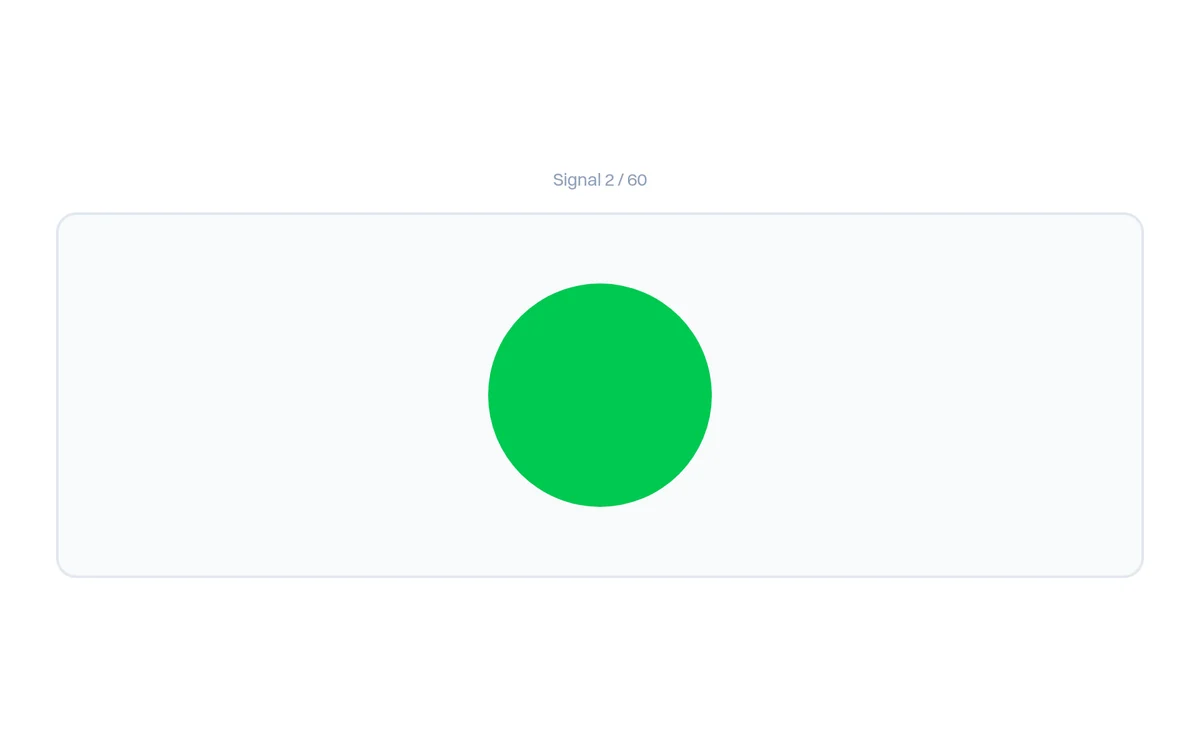
Our go/no-go test is the closest match. Sixty shapes appear one at a time, three in four are "go" signals and one in four is a "no-go" signal, and each stays on screen for at most 0.8 seconds. Your result shows commission errors, omission errors and median reaction time separately, the same three numbers described above, plus a score out of 100.
One difference to know before you practise. Our test uses the traffic-light mapping: press on the green circle, hold back on the red circle with an X. pymetrics, as prep sites report it, uses the reverse: press on red, hold on green. What transfers is the skill of holding back a prepared press at speed, not the colours. Before the real game, read the rule twice and do the first few circles deliberately so the new mapping settles. Our go/no-go test is new (November 2026), so we do not yet publish a distribution of first attempts for it; we will add one to our score benchmarks once enough people have played it.
Supporting drills:
- Flanker arrows test: attention under distraction, the other half of what the stop game reads. It is also the base of the pymetrics arrows game.
- Reaction time test: raw speed on a single signal, useful if your go/no-go misses come from being slow rather than from hesitating.
- Task switching: following a rule that changes, which helps when the stop game's mapping fights your traffic-light instinct.
Where the stop game sits in the pymetrics battery
The stop game is one of the few pymetrics games where practice changes your result, alongside the digits game, the arrows game and the tower game. Others, like the balloon game and the money-exchange games, read traits and have no right answer. The complete pymetrics games guide covers all twelve, and Harver vs pymetrics explains why your invitation may name either company.
FAQ
Do you press on red or green in the pymetrics stop game? Prep providers consistently report that you press the space bar on red and do nothing on green. Harver does not publish the rules, so your invitation's instruction screen is the final word.
How many circles are in the stop game? Prep sites report about 80 circles in roughly two minutes. Harver does not publish the number.
What does the stop game measure? Response inhibition and attention: whether you can hold back a prepared press, how often you miss the circles you should press, and how quickly you respond.
Is it better to be fast or accurate? Both count, but a press on green is the costlier error. Aim for a steady pace you can keep for two minutes without false presses climbing, not for your fastest possible press.
Can you practise the pymetrics stop game? Yes. Go/no-go practice removes the slow, error-prone start and teaches you your own speed limit. Our go/no-go test practises the same skill with the colours reversed (press on green).
Can I retake the stop game? Not freely. pymetrics allows candidates "to play the games once every 330 days", and within that window your existing results are re-assessed for each new role.
I am colour-blind. Can I still play the stop game? pymetrics offers gameplay accommodations for ADHD, dyslexia and colour blindness, chosen in a "Game Configuration" pop-up before you start, and says the choice is not shared with anyone (pymetrics Support Center).
Is the stop game the same as the keypresses game? No. Keypresses asks you to tap as many times as you can between a start and a stop signal and reads effort. The stop game asks you to choose, circle by circle, whether to press at all.
GamePrep is an independent practice platform and is not affiliated with pymetrics or Harver. Game sets vary by employer and change between cycles; treat your invitation and its instructions as the source of truth. We provide related practice only, never leaked questions or answers.